Ever wonder what truly separates a good cook from a great one? It often comes down to one little secret: precision. In the world of baking and cooking, guesswork can lead to culinary mishaps, while accurate measurements pave the way for consistent, mouth-watering results. That’s where a reliable partner like the Cuisinart Digipad Digital Kitchen Scale steps in, transforming your kitchen from a realm of approximation to a laboratory of delicious perfection.
This isn’t just another kitchen gadget; it’s an essential tool designed to empower home cooks and seasoned bakers alike. The Cuisinart DigiPad Digital Kitchen Scale is crafted to bring professional-grade accuracy and effortless functionality right to your countertop, ensuring every pinch, dash, and dollop contributes precisely to your culinary vision. Say goodbye to uneven textures and inconsistent flavors, and prepare to welcome a new era of confidence in your kitchen.
Why a Digital Kitchen Scale is Your Kitchen MVP
In the grand symphony of cooking and baking, every ingredient plays a vital role. While measuring cups and spoons have their place, they often fall short when true precision is needed. Factors like how tightly you pack flour or how humid the air is can drastically alter the actual weight of an ingredient, leading to unpredictable outcomes. This is where the digital kitchen scale shines, offering a distinct advantage by measuring ingredients by weight rather than volume.
Think about it: a cup of flour can vary significantly in weight depending on how it’s scooped, but 120 grams of flour is always 120 grams. This unwavering consistency is critical for baking, where chemical reactions demand exact ratios. For health-conscious cooks, a digital food scale also becomes an invaluable tool for portion control, helping you stick to dietary goals with confidence. From mastering delicate macarons to ensuring your savory stews are perfectly balanced, the Cuisinart DigiPad Digital Kitchen Scale helps you achieve predictable, delicious results every single time.
Unpacking the Cuisinart DigiPad Digital Kitchen Scale
The Cuisinart DigiPad Digital Kitchen Scale isn’t just about functionality; it’s also a testament to smart design. Let’s delve into what makes this electronic scale a standout in any modern kitchen.
Sleek Design Meets Smart Functionality
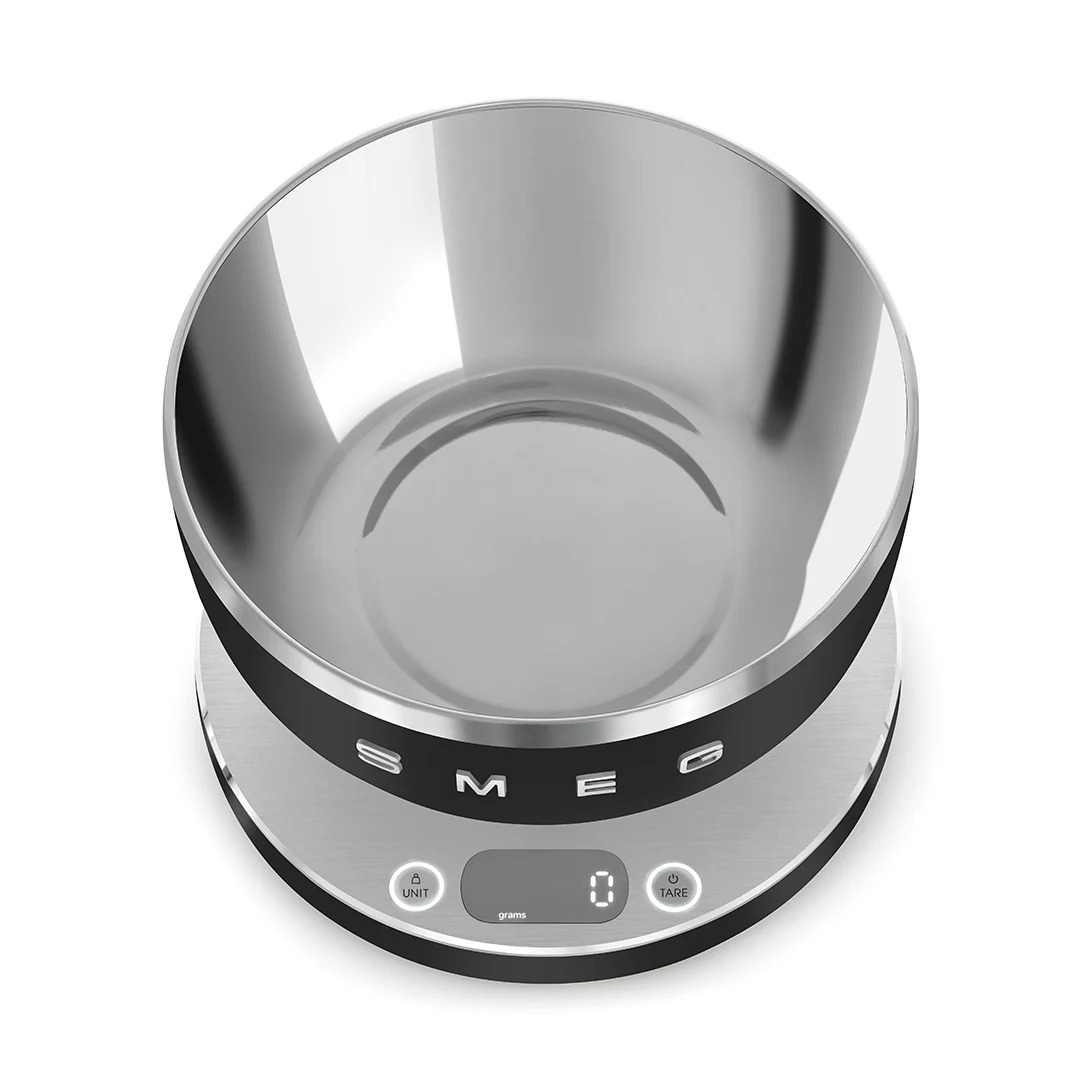
The DigiPad boasts a sleek, round profile that fits seamlessly into any kitchen aesthetic without hogging precious counter space. Its versatile design, often featuring an elegant glass surface, not only looks good but is also incredibly practical. This smooth, non-porous platform makes cleaning a breeze, easily wiping away spills and food residue. Whether your kitchen vibe is minimalist or bustling, the Cuisinart DigiPad blends in perfectly, ready to assist with any recipe. You might even find it in a few different colors, like classic white or bold black, to match your personal style.
Precision at Your Fingertips
At the heart of the Cuisinart DigiPad Digital Kitchen Scale is its commitment to accuracy. Equipped with a large, easy-to-read LCD screen, checking measurements is a quick glance away, even when your hands are full. This smart kitchen gadget can handle a substantial 11 pounds (or 5 kilograms), making it suitable for weighing everything from a handful of herbs to larger batches of dough. Crucially, it offers multiple readout modes, allowing you to effortlessly switch between imperial units (pounds and ounces) and metric units (grams and kilograms) with the press of a button. This flexibility is a game-changer for following recipes from around the globe.
The Magic of Tare and Add-and-Weigh
One of the most beloved features of any advanced kitchen scale is the tare function, and the Cuisinart DigiPad excels here. What is “tare”? Simply put, it allows you to zero out the weight of any container or previous ingredient. Imagine you’re baking a cake: first, you place your mixing bowl on the scale and hit “tare” to reset it to zero. Then, you add your flour. Hit “tare” again, add your sugar, and so on. This “add-and-weigh” capability means you can measure multiple ingredients into the same bowl without complex calculations or dirtying extra dishes. It streamlines your cooking process, saves time on cleanup, and ensures precise measurements for every component of your recipe.
Power and Convenience
Designed for everyday convenience, the Cuisinart DigiPad Digital Kitchen Scale is typically battery-operated, offering cordless freedom. Many models use a common 9-volt circular battery, and often, the batteries are even included to get you started right out of the box. To conserve power and extend battery life, the scale also features an automatic switch-off function, gracefully powering down after a period of inactivity. It’s these thoughtful touches that make the DigiPad a truly user-friendly electronic scale.
Choosing Your Perfect Cuisinart DigiPad
Picking the right kitchen scale for your home isn’t just about grabbing the first one you see. While the Cuisinart DigiPad Digital Kitchen Scale is a fantastic all-rounder, considering your specific needs can help solidify your choice.
What kind of cooking or baking do you do most often? If you’re a dedicated baker, the precision and tare function of the DigiPad will be non-negotiable. For those managing dietary intake, accurate portion control is key, and this digital food scale delivers. Its 11lb/5kg capacity is generous enough for most household tasks, from weighing pasta for a family dinner to portioning out ingredients for meal prep. The easy-to-read display and quick unit conversion also mean less fuss and more focus on the delicious food you’re creating.
Mastering Your DigiPad: Tips for Optimal Use and Care
To ensure your Cuisinart DigiPad Digital Kitchen Scale remains a reliable companion in your kitchen for years to come, a few simple tips can make all the difference.
Setting Up for Success
Where should I place my Cuisinart DigiPad scale for the most accurate readings?
Always place your digital kitchen scale on a flat, stable, and level surface. Uneven countertops or wobbly tables can lead to inaccurate or fluctuating readings, impacting the precision of your measurements.
Before starting any task, make sure the batteries are fresh. If you notice a “Lo” message on the display, it’s a clear signal to replace them. A low battery can sometimes cause inconsistent measurements.
Everyday Operations
How do I turn on and change units on my Cuisinart DigiPad Digital Kitchen Scale?
To turn on your scale, simply press the ON/OFF button, usually located on the front panel. It will typically display “8888” briefly before settling on “0” with a unit like “g” (grams) or “oz” (ounces). To switch between imperial and metric units, press the “Unit” button. Each press will cycle through the available options.
What’s the best way to use the tare function for multiple ingredients?
Place your empty bowl or container on the scale. Once it displays the weight, press the “Tare” button. The display will reset to “0.” Now, add your first ingredient. When you’ve reached the desired weight, press “Tare” again before adding your next ingredient. Repeat this process for all subsequent ingredients.
Keeping It Pristine
How do I clean my Cuisinart DigiPad scale effectively?
Thanks to its sleek design, often with a glass platform, cleaning the Cuisinart DigiPad is straightforward. Simply wipe the surface with a damp cloth after each use. For stickier messes, a mild dish soap can be used, ensuring you dry it thoroughly afterward. Avoid abrasive cleaners or submerging the scale in water to protect its electronic components. Regularly check for any crumbs or debris that might get trapped underneath or around the platform, as these can interfere with accurate readings.
Digital vs. Mechanical: Why DigiPad Wins the Weigh-In
While mechanical scales have a certain nostalgic charm, the Cuisinart DigiPad Digital Kitchen Scale truly shines when compared to its analog counterparts. Digital scales like the DigiPad offer superior accuracy, often measuring down to a single gram or eighth of an ounce, a level of precision mechanical scales struggle to achieve. Reading a digital display is far easier and less prone to human error than squinting at tiny lines on a dial. Furthermore, the inherent features of a digital scale, such as the tare function and instant unit conversion, are simply not possible with mechanical versions, making the DigiPad a clear winner for modern culinary needs.
Expert’s Take: Getting the Most Accurate Readings
“For consistent culinary success, understanding your digital kitchen scale is key,” advises Chef Eleanor Vance, a renowned pastry chef and culinary technologist. “Beyond just hitting the tare button, remember that environmental factors play a crucial role. A stable, level surface is paramount, and avoid placing your scale near heat sources or strong electromagnetic fields like microwaves, as these can subtly impact its sensors. Regular battery checks and gentle cleaning ensure its longevity and precision, turning a simple measurement into a foundational step for perfect results.” By keeping these insights in mind, you’re not just using a scale; you’re adopting a principle of excellence.
Frequently Asked Questions about the Cuisinart DigiPad
Can I weigh liquids on the Cuisinart DigiPad Digital Kitchen Scale?
Yes, absolutely! The Cuisinart DigiPad Digital Kitchen Scale measures weight, so you can weigh any liquid as long as it’s in a container. Just use the tare function to zero out the weight of your container, then add your liquid. Keep in mind that for very precise liquid measurements by volume, specialized liquid measuring cups might be preferred, but for weight-based recipes, your DigiPad is perfect.
What kind of batteries does the Cuisinart DigiPad Digital Kitchen Scale use?
Many Cuisinart DigiPad models utilize a 9-volt circular battery. It’s always a good idea to check your specific model’s manual for the exact battery type recommended to ensure optimal performance.
How do I troubleshoot my Cuisinart DigiPad if it gives inconsistent readings?
First, ensure it’s on a flat, stable surface away from vibrations or drafts. Check the batteries and replace them if the “Lo” indicator is on. Also, make sure there’s no debris under the platform. If issues persist, refer to the user manual for specific troubleshooting steps or contact Cuisinart customer support.
Does the Cuisinart DigiPad Digital Kitchen Scale have an auto-off feature?
Yes, most Cuisinart DigiPad Digital Kitchen Scales are designed with an automatic switch-off function. This clever feature helps conserve battery life by turning the scale off after a period of inactivity, so you don’t have to worry about accidentally leaving it on.
Is the Cuisinart DigiPad Digital Kitchen Scale easy to store?
Its sleek, compact, and often slim design makes the Cuisinart DigiPad Digital Kitchen Scale very easy to store. Many users find it fits comfortably in a kitchen drawer, on a narrow shelf, or even tucked away in a cabinet without taking up much space, perfect for any kitchen size.
The Ultimate Kitchen Companion
There you have it – the Cuisinart DigiPad Digital Kitchen Scale is more than just a tool; it’s an investment in your culinary journey. Its blend of sleek design, pinpoint accuracy, and user-friendly features like the tare and add-and-weigh functions make it an indispensable asset for anyone passionate about cooking or baking. From ensuring perfect recipe replication to supporting healthy portion control, this electronic scale empowers you to create with confidence and precision. So, why not embrace the power of precise measurements and let the Cuisinart DigiPad Digital Kitchen Scale help you unlock new levels of culinary excellence? Your taste buds (and your family) will thank you!